Financials
Know what your studio kept this month, and why.
Financials reads your accounting and tells you, in plain English, what came in, what went out and what you kept. It also tells you what changed from a normal month.
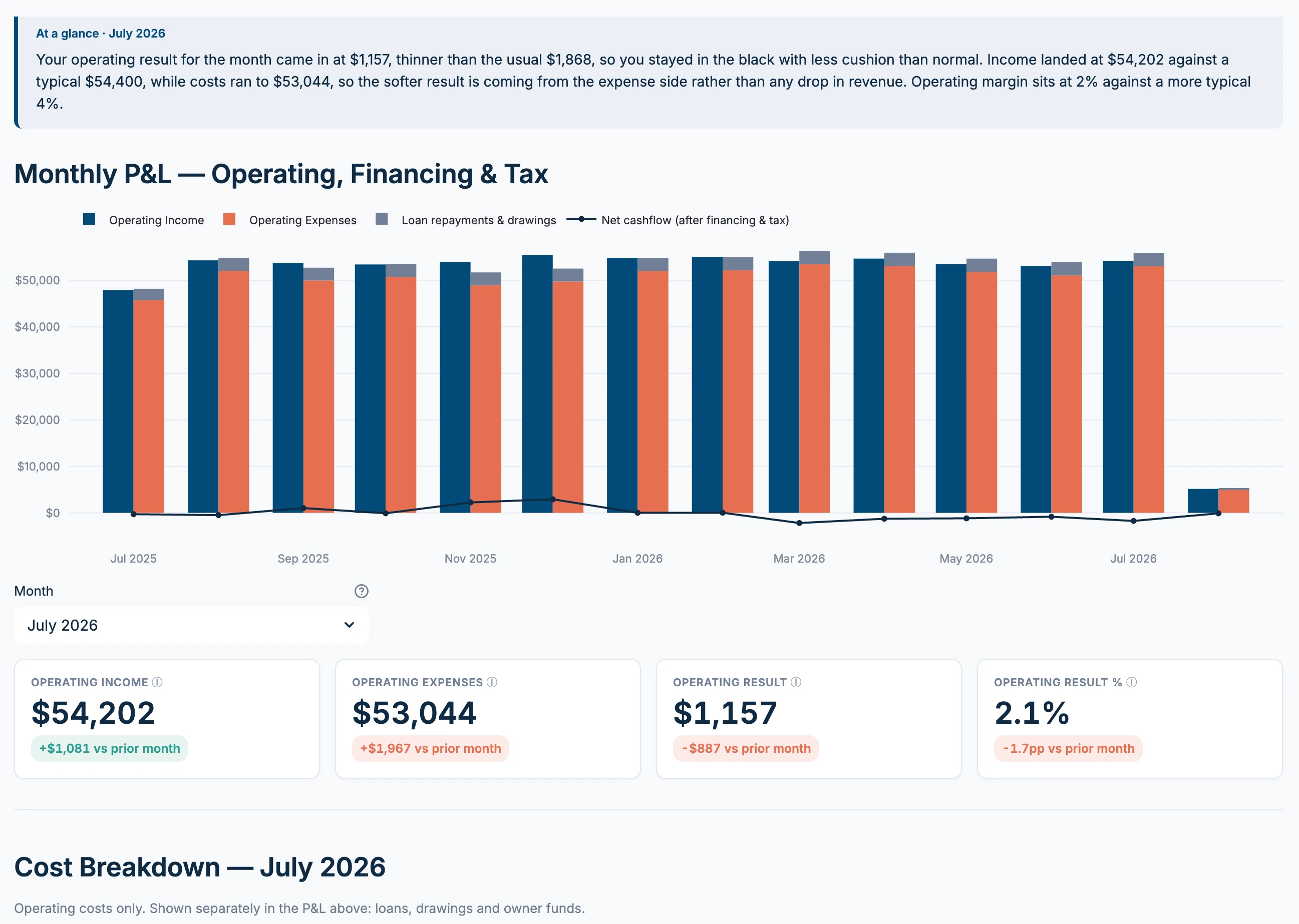
What it shows you
-
The month in plain English
A short summary of your result against a usual month, and whether the change came from income or from costs.
-
Running costs, kept apart
Loan repayments, drawings and tax sit separately from what it costs to run the studio, so they don't muddy your operating result.
-
Cash in and out each week
See the money coming in and going out week by week, and why the deposit doesn't match your sales.
-
Costs that jumped
When a cost rises well above its usual level, Studio Signal flags it, so it doesn't slip past you.
Your books, read beside your bookings
Your accountant sees the books, and your booking platform sees the classes. Studio Signal reads both.
That's how it can tell you a class isn't paying its way, or that a softer month came from costs rather than from fewer visits.
Questions
- Which accounting software does it work with?
- Xero and MYOB.
- Does it change anything in my books?
- No. It only ever reads from your accounting, and never changes anything there.
- Do I need to understand accounting?
- No. Every number comes with a plain English explanation of what it means and what changed.
How it works with Momence and Mindbody Ask Signal Pulse Studio Snapshot Client Health Upsell & Conversion Classes
Join the founding studios.
Founding studios get their first two weekly reads free, then $150 a month, locked in for good.